


Informasi Lelang
Fitur Terbaru di JBA, Kini Bisa Lacak Status BPKB Dengan Mudah
Find Your Dream Car in JBA Indonesia
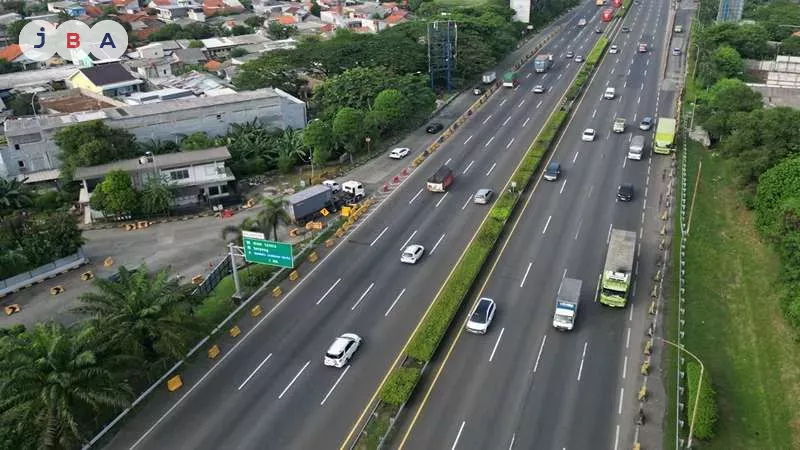
Nowadays, checking road CCTV has become more practical and accessible. You can monitor traffic conditions directly from your smartphone anytime and anywhere. With online access to road CCTV, drivers can view the latest traffic situations and plan their journeys more wisely, especially during holiday seasons.
Holiday periods are often associated with a significant increase in vehicle volume across many roads. Main streets, toll roads, and routes leading to tourist destinations frequently experience congestion and long queues that are difficult to predict. Without proper preparation, holiday travel can quickly turn into a tiring experience due to being stuck in traffic for hours.
That is why monitoring road conditions before and during your trip is essential, particularly for long-distance travel. By understanding real-time traffic conditions, you can avoid congestion hotspots. To help you plan your journey more effectively, here are several ways to check road CCTV from your phone.
Road CCTV refers to surveillance cameras installed along specific road segments to monitor traffic conditions in real time. These cameras are usually connected to monitoring systems and display live images that can be accessed by authorities as well as the general public. Common types of road CCTV include ATCS (Area Traffic Control System) cameras installed at city intersections, and toll road CCTV monitoring traffic flow on highways.
Road CCTV is managed by various institutions, such as the Transportation Agency (Dishub) for city roads and intersections, toll road operators for highways, and local governments through Smart City platforms. Since they serve as public information tools and traffic management systems, most road CCTV feeds can be accessed openly through official websites or applications.
There are several official platforms and supporting applications you can use to check road CCTV from your smartphone. From government websites to digital map services, all of them can be accessed directly without special devices. Below are some of the most practical methods to monitor traffic conditions and avoid congestion, especially during holidays.
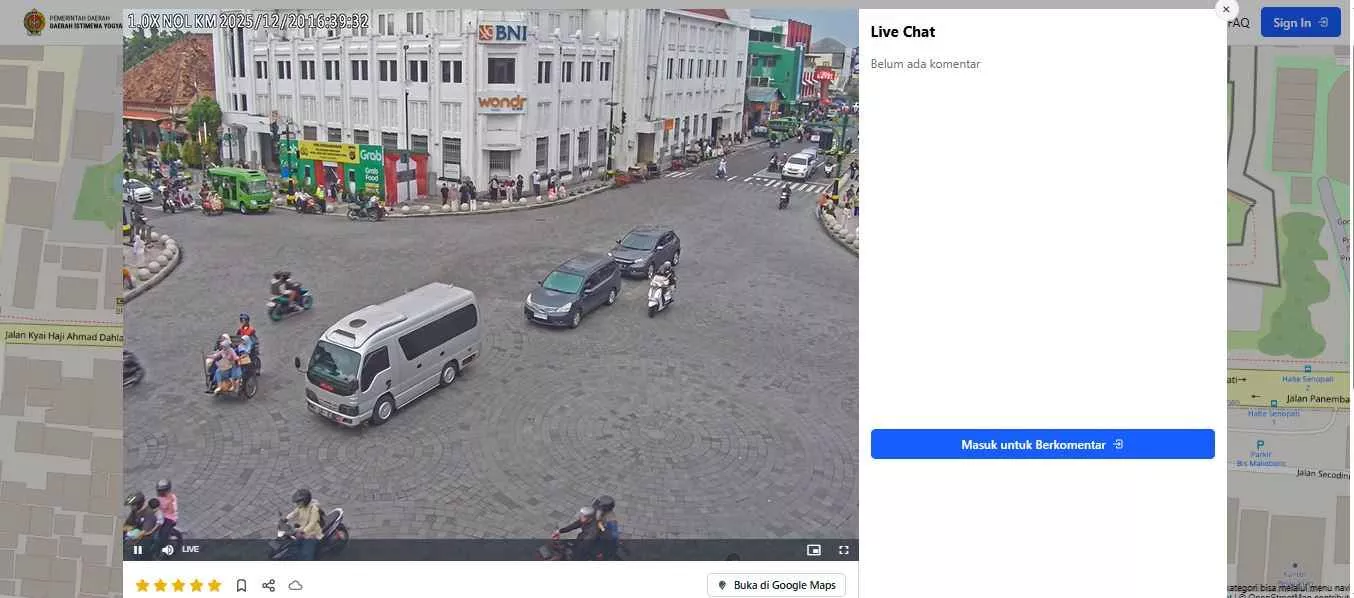
Sumber: mam.jogjaprov.go.id
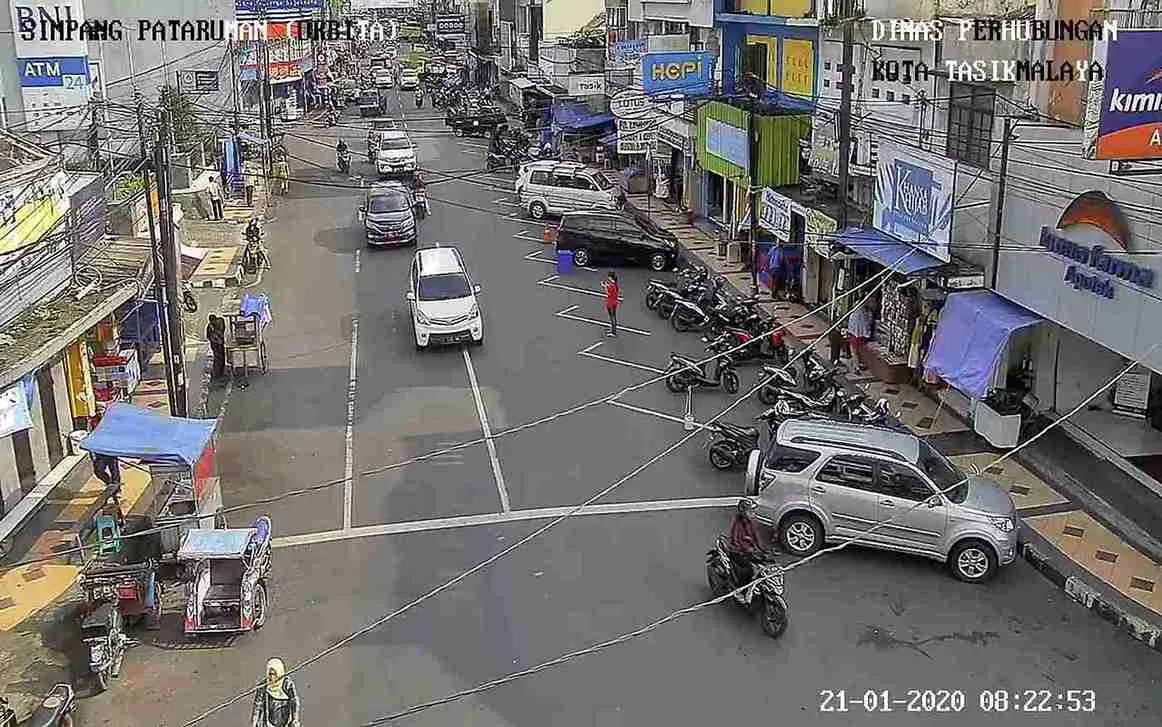
ATCS, or Area Traffic Control System, is a traffic monitoring system managed by the local Transportation Agency. ATCS cameras are commonly installed at major intersections, main roads, and congestion-prone areas in urban regions.
To access ATCS CCTV from your phone, simply open a browser and visit the official Dishub or ATCS website of the city you want to monitor. Once on the CCTV page, select the available camera location and wait for the video feed to load. Some cities provide live streaming, while others display periodically updated images.
The main advantage of this method is that it is free and sourced directly from official institutions. However, not all cities have stable ATCS websites, and public access to cameras may be limited in some areas.
Examples of publicly accessible ATCS websites:
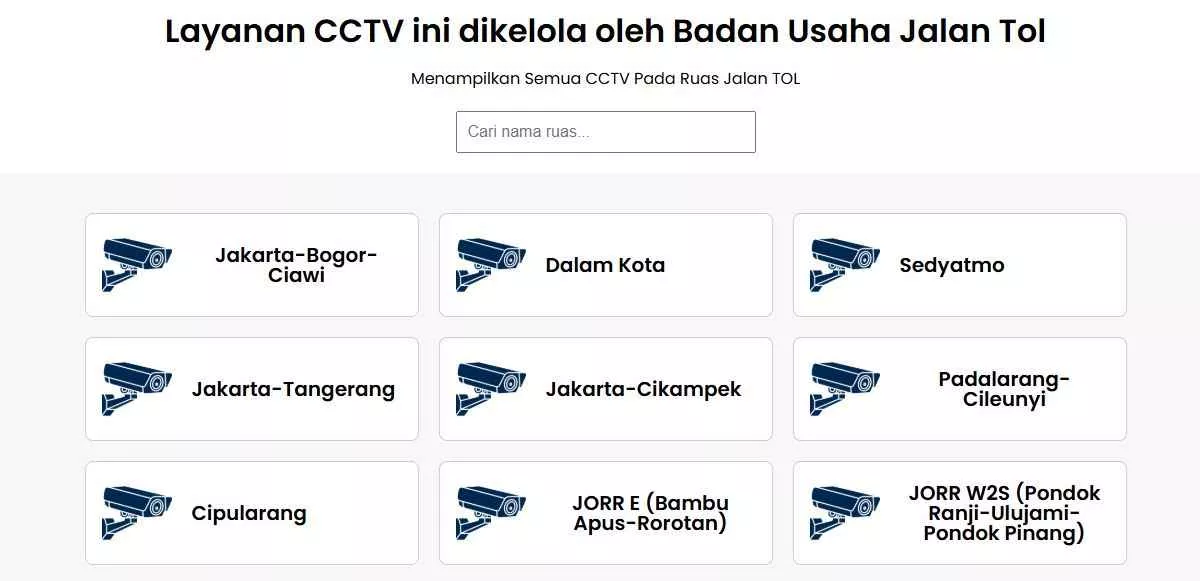
Sumber: bpjt.pu.go.id/cctv/
You can also check toll road CCTV through the official website of the Badan Pengatur Jalan Tol (BPJT). BPJT operates under the Ministry of Public Works and Housing and provides toll road CCTV access as part of public traffic information services.
The BPJT website displays CCTV footage from various toll roads across Indonesia, including major routes frequently used by holiday travelers. Cameras are generally installed along main toll lanes, congestion-prone sections, and areas near toll gates.
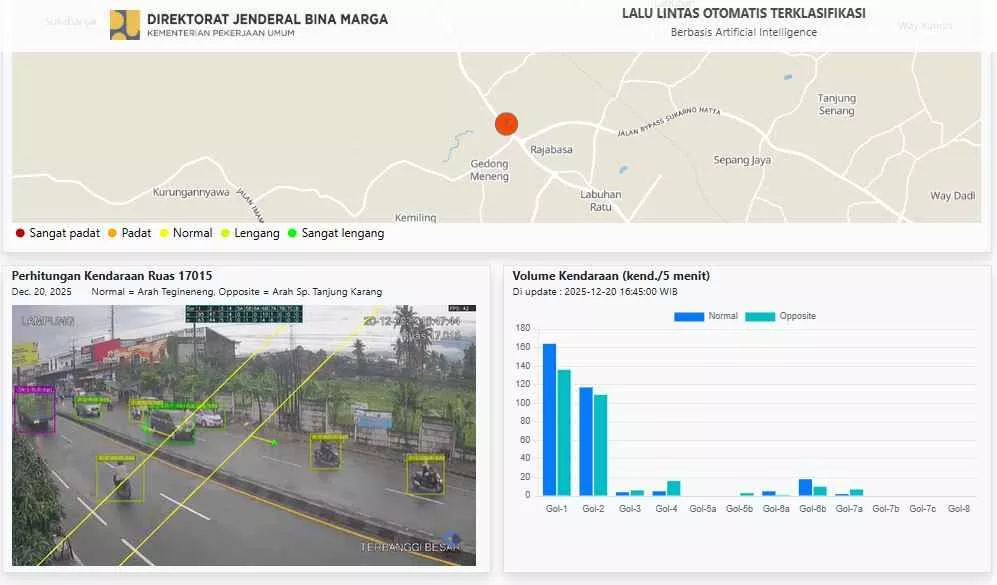
Sumber: binamarga.pu.go.id/cctv-ai/
In addition to ATCS and BPJT, road CCTV can also be accessed through the official website of the Directorate General of Highways (Bina Marga) under the Ministry of Public Works and Housing. Through the Bina Marga CCTV AI platform, the public can monitor traffic conditions on several national roads online.
This platform utilizes AI-based CCTV technology to display real-time road conditions. Cameras are installed on strategic road segments, national routes, and congestion-prone areas, particularly during holiday and peak travel periods.
Steps to access CCTV via Bina Marga:
Sumber: play.google.com
Besides websites, you can also check road CCTV through the CCTV ATCS Indonesia application. This app provides access to traffic cameras from various cities across Indonesia within a single platform, making it convenient to use anytime.
How to use the CCTV ATCS Indonesia app:
Sumber: tekno.kompas.com
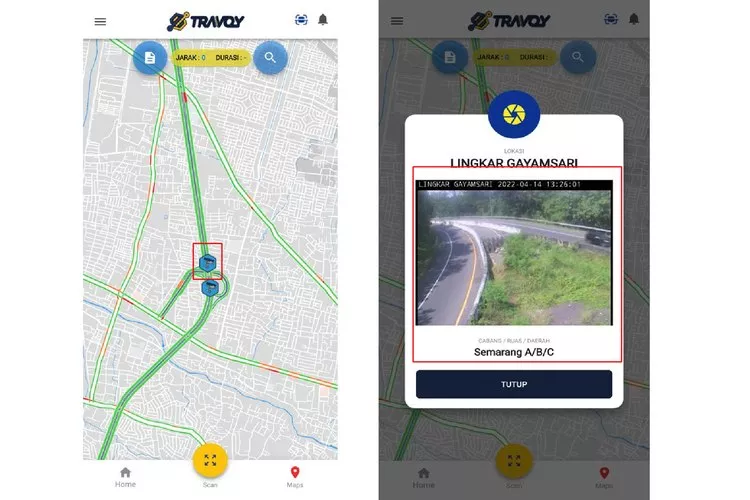
The Travoy app can also be used to access toll road CCTV. By using Travoy, toll road users can better prepare their trips and anticipate traffic congestion, ensuring a smoother and more comfortable journey with their families.
Steps to check toll road CCTV via Travoy:
In certain situations, road CCTV feeds may occasionally be unavailable. This can be caused by an unstable internet connection, a surge in the number of users, or disruptions on the service provider’s servers. If you encounter this issue, the first step is to ensure your internet connection is stable, then try refreshing the page or the application you are using.
If the feed still does not appear, you can try accessing the CCTV again after a few minutes or use alternative links from nearby cities or road sections to get an overview of surrounding traffic conditions. Accessing CCTV feeds from other official sources, such as those provided by local governments or toll road operators, can also be a practical solution to continue receiving real-time traffic information.
Note: Displayed traffic CCTV feeds may experience a time delay. This depends on network conditions, user access traffic, and system update processes from each CCTV service provider.
In addition to monitoring traffic conditions through CCTV, it is also important to be aware of official assistance services during your journey. If you encounter issues on toll roads, such as vehicle breakdowns, accidents, or other emergency situations, you can contact the Jasa Marga Call Center at 14080, which operates 24 hours a day. This service provides traffic information, toll road condition updates, and on-site emergency assistance. Saving this number before traveling can help enhance safety and convenience, especially during holiday seasons or peak traffic periods.
Knowing how to check road CCTV from your phone offers significant benefits, especially during holiday seasons. By monitoring real-time traffic conditions, you can identify congestion levels, avoid traffic bottlenecks, and choose the most suitable routes and travel times. Visual information from CCTV helps make trips more planned and reduces the risk of getting stuck in long traffic queues. This approach has proven effective in anticipating congestion during holidays, whether for city travel or intercity journeys.
If you are interested in purchasing used cars or motorcycles through a transparent process, you can join JBA Indonesia auctions. JBA is a professional auction house in Indonesia, offering vehicle auctions with systems that are secure, transparent, and flexible, available both online and offline.
For more information about the auction process or to request a consultation, please contact JBA WhatsApp at +62 817-0993-078. Don’t forget to follow all JBA social media accounts to stay updated on auction schedules and the latest information.
 ?
?